Login Analytics
- Use the calendar feature on the left to select the time period that the charts and statistics will reflect.(maximum for 90 days)
- Use the domain selector in the middle to choose which domain’s data should be reflected in the charts and statistics. You can select either a single domain or multiple domains.
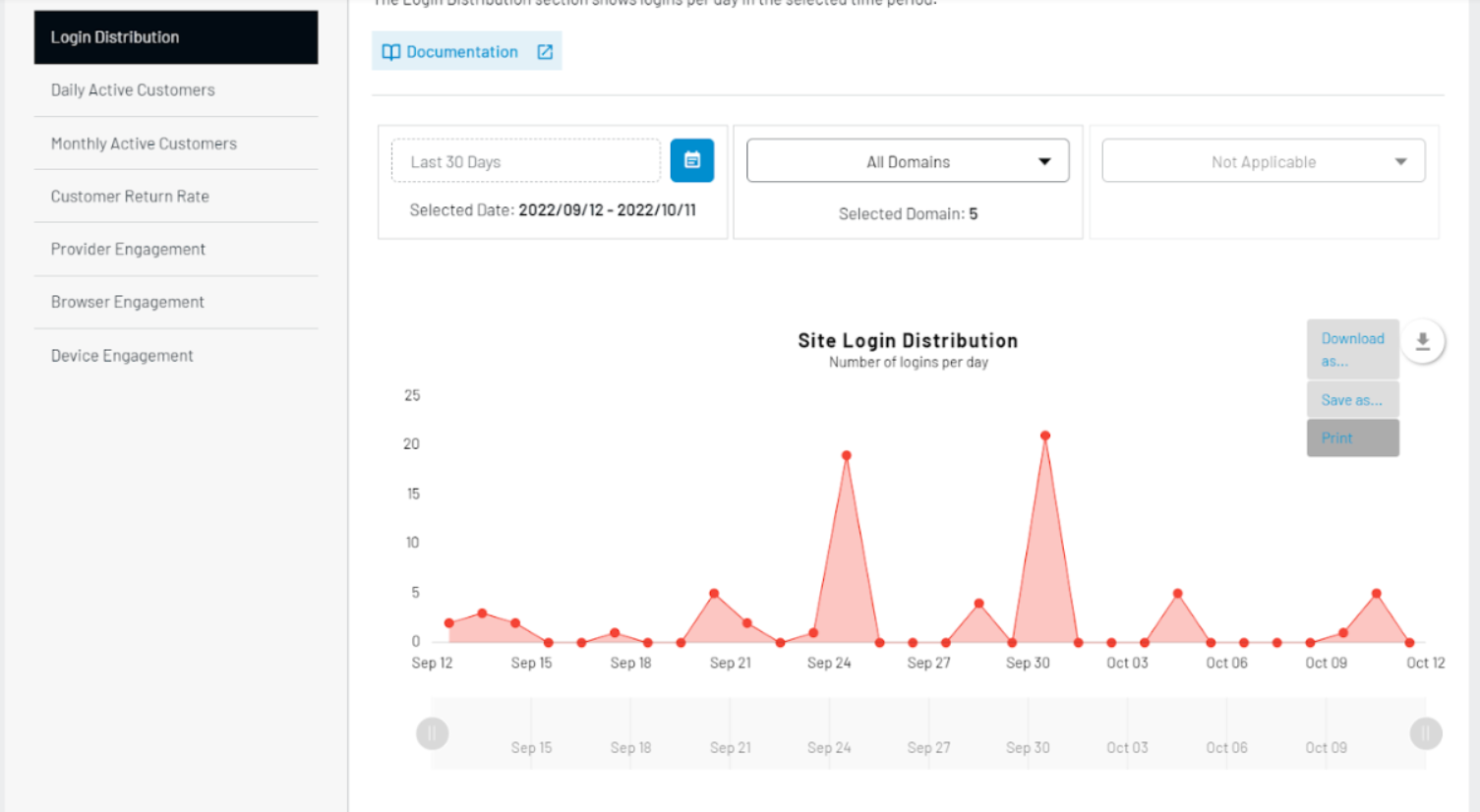
- All charts can be exported, saved, or printed by clicking on the download button in the upper right hand corner of each chart.
The Login Analytics will provide insight into your site’s login activity over a specified time period. The statistics shown in this section analyze the number of "Logins", as opposed to "Unique Profile Logins". Please see the "Key Terminology" section for more information on these two terms.
Login Stats
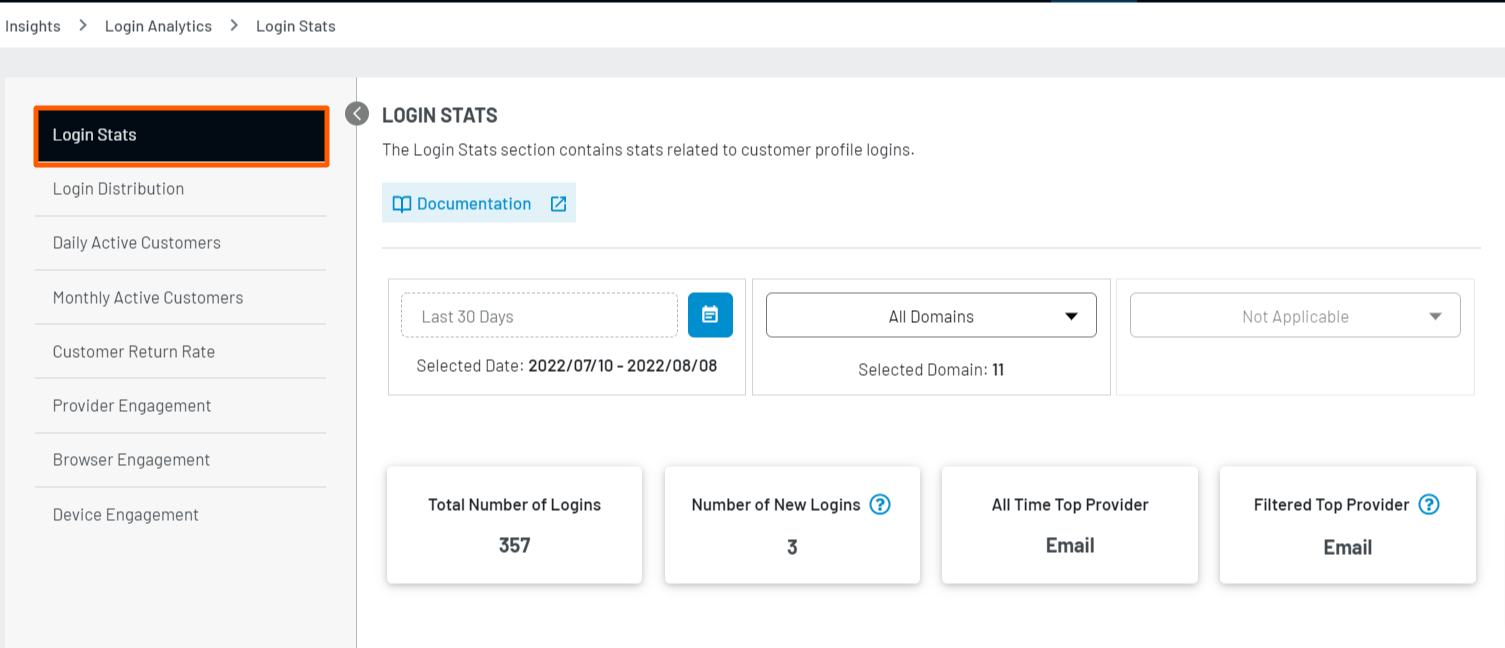
This section provides you with an overview of the total number of logins and the number of logins over the specified time period.
Login Distribution
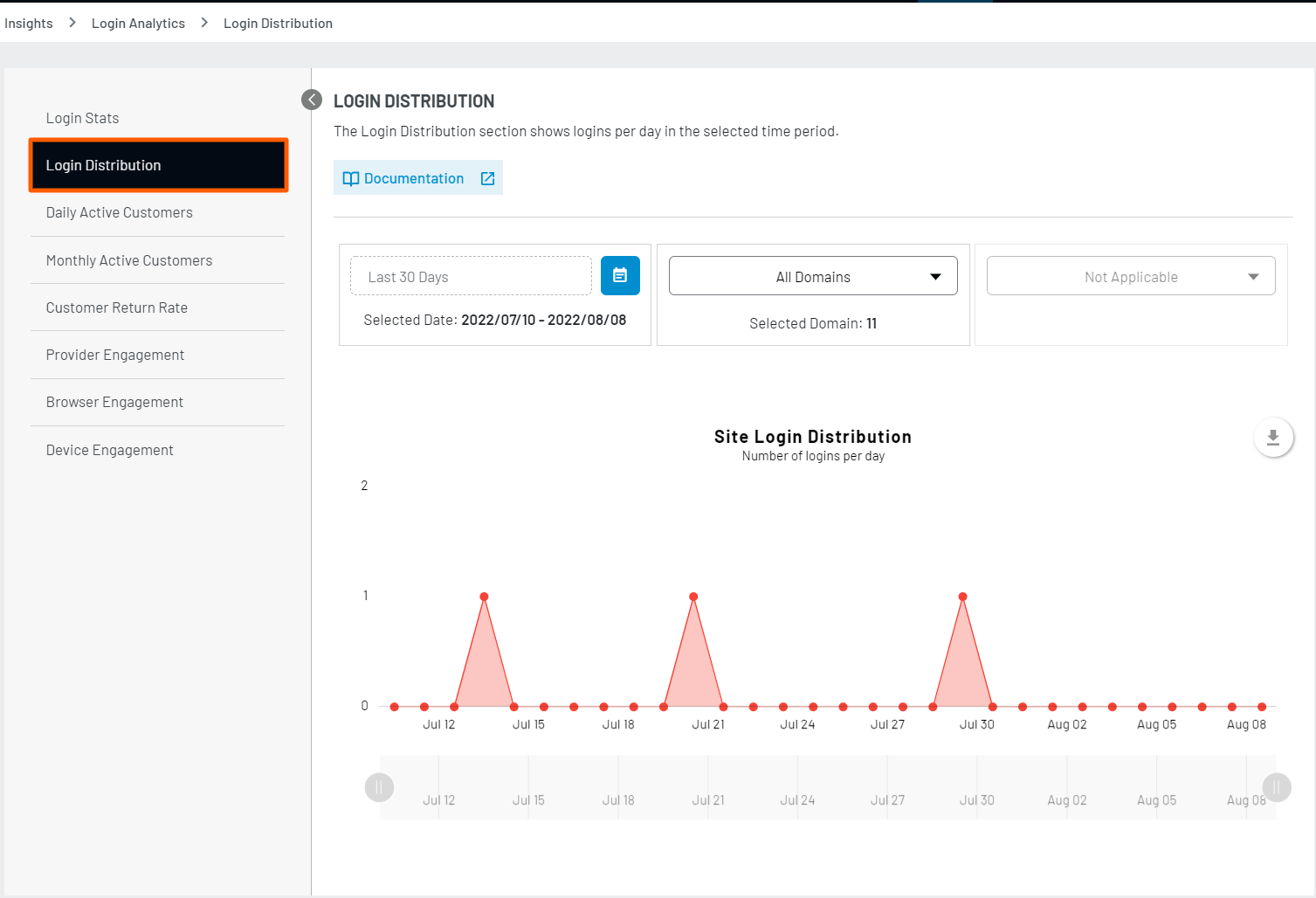
This chart displays the number of logins per day over the specified time period.
Daily Active Customers
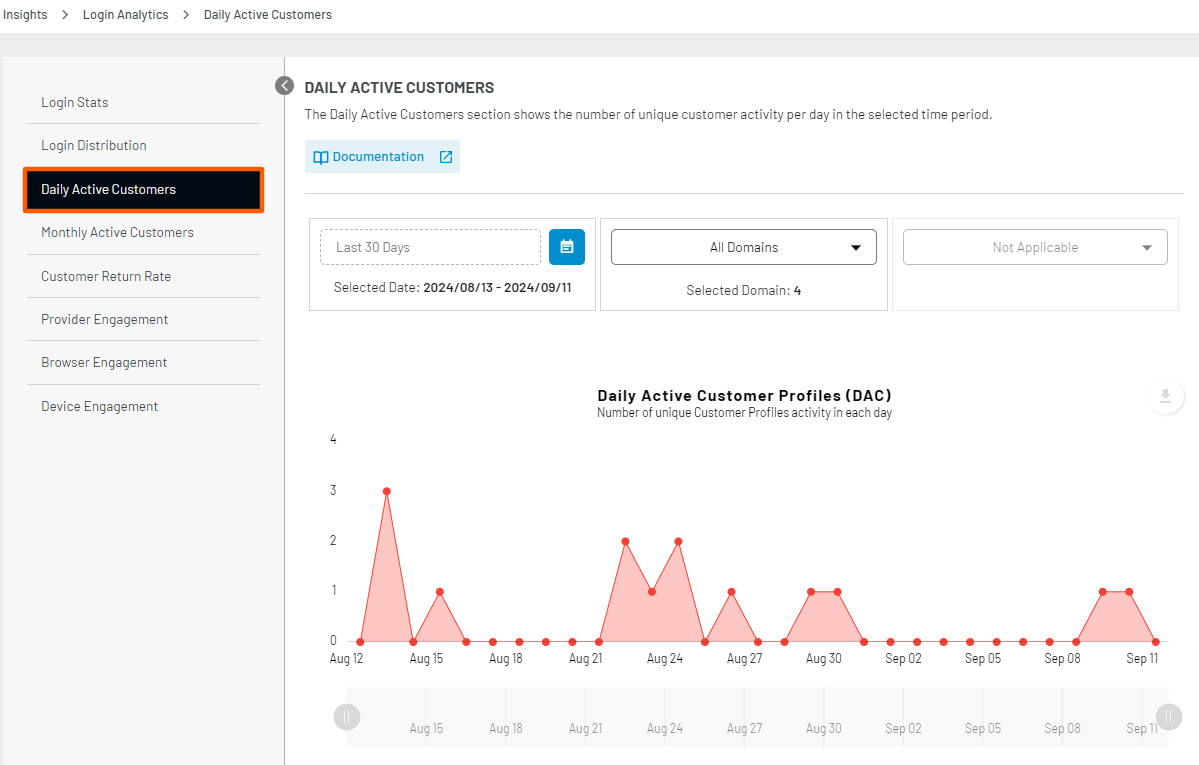
The Daily Active Customers chart shows the number of unique user profiles that have engaged with your site each day within the selected time period.
Monthly Active Customers
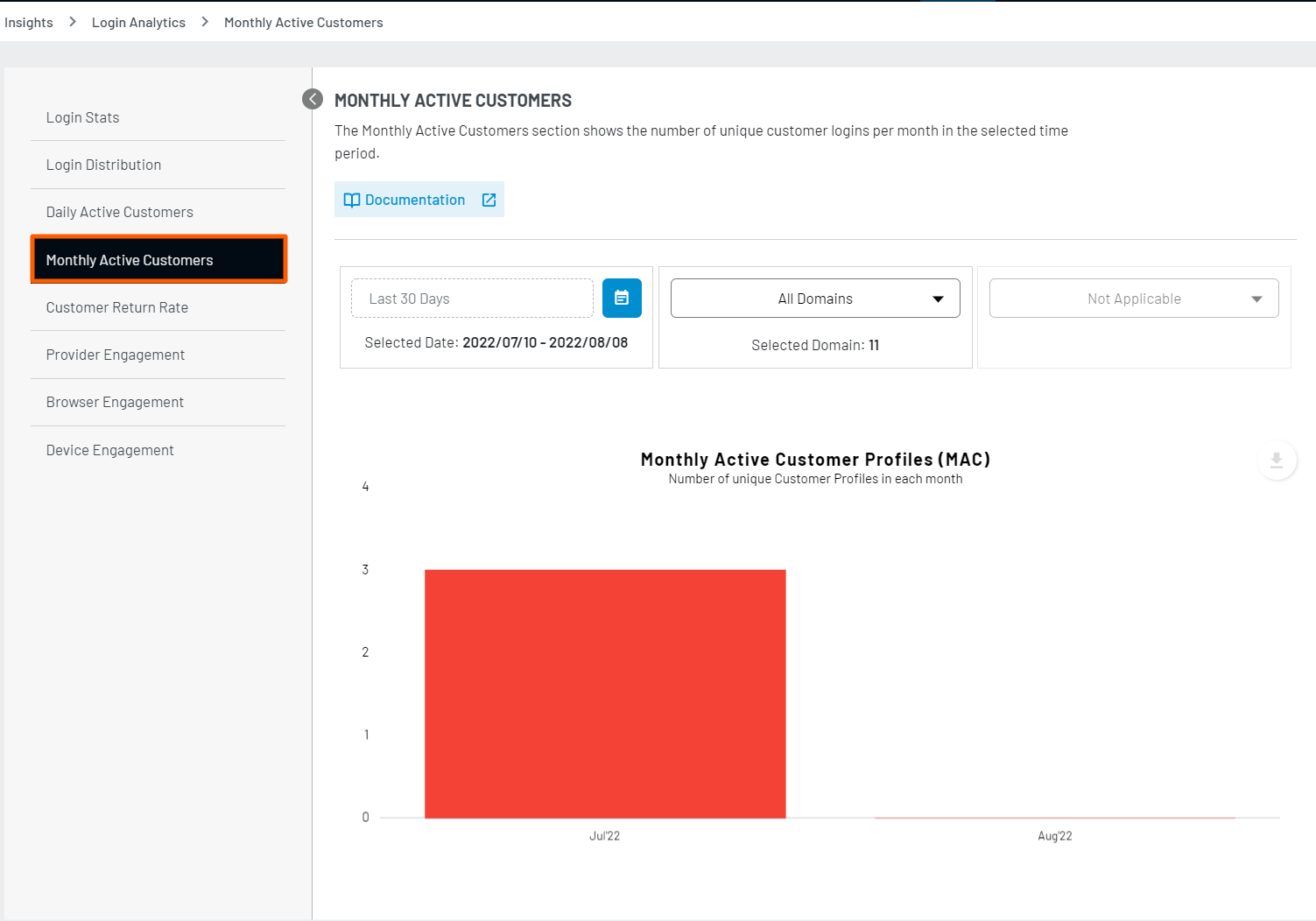
The Monthly Active Customers chart displays the number of Unique Customer Profiles that have logged in to your site per month. For clarification on how this works, please see below:
-
If I login ten times with Facebook over the course of one month, this will be counted as one Unique Profile Login for that month.
-
If I login ten times with Facebook and ten times with LinkedIn over the course of one month, this will be counted as two Unique Profile Logins for that month.
User Return Rate by Provider
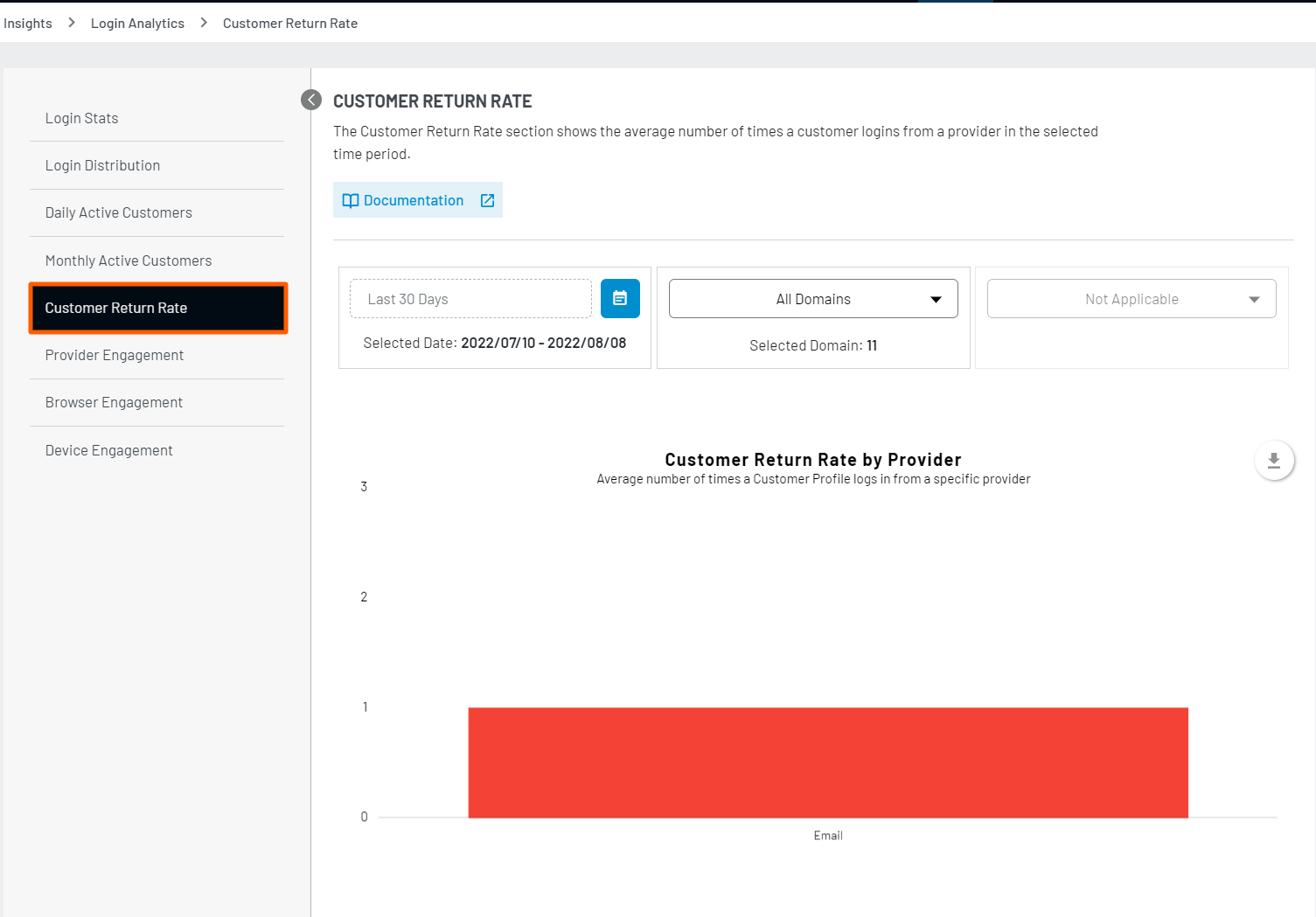
The User Return Rate by Provider chart displays the average number of times a Unique User Profile has logged in with a specific provider over a given time.
For example, let’s say that over the last thirty days, your site had one hundred Facebook User Profiles registered. Over this thirty day period, fifty out of these hundred User Profiles logged in ten times each and the remaining fifty User Profiles logged in five times each. In this situation, the Facebook User Return Rate for the past thirty days would be 7.5, meaning that on average, a Facebook User Profile logged in 7.5 times over the last thirty day period.
Provider Engagement
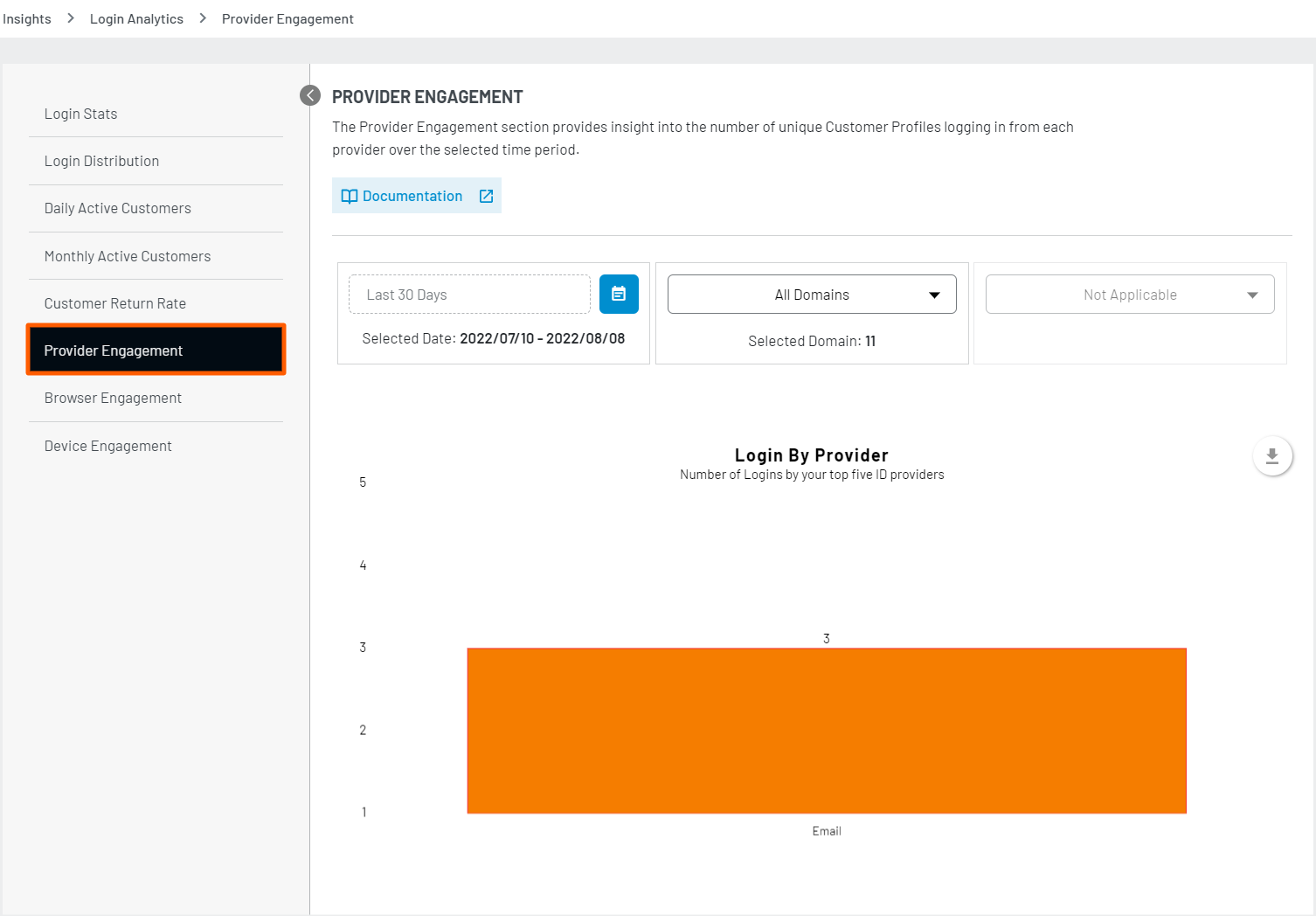
The Provider Engagement chart displays the total number of Unique User Profiles that have logged in with each provider over the selected time period.
Browser Engagement
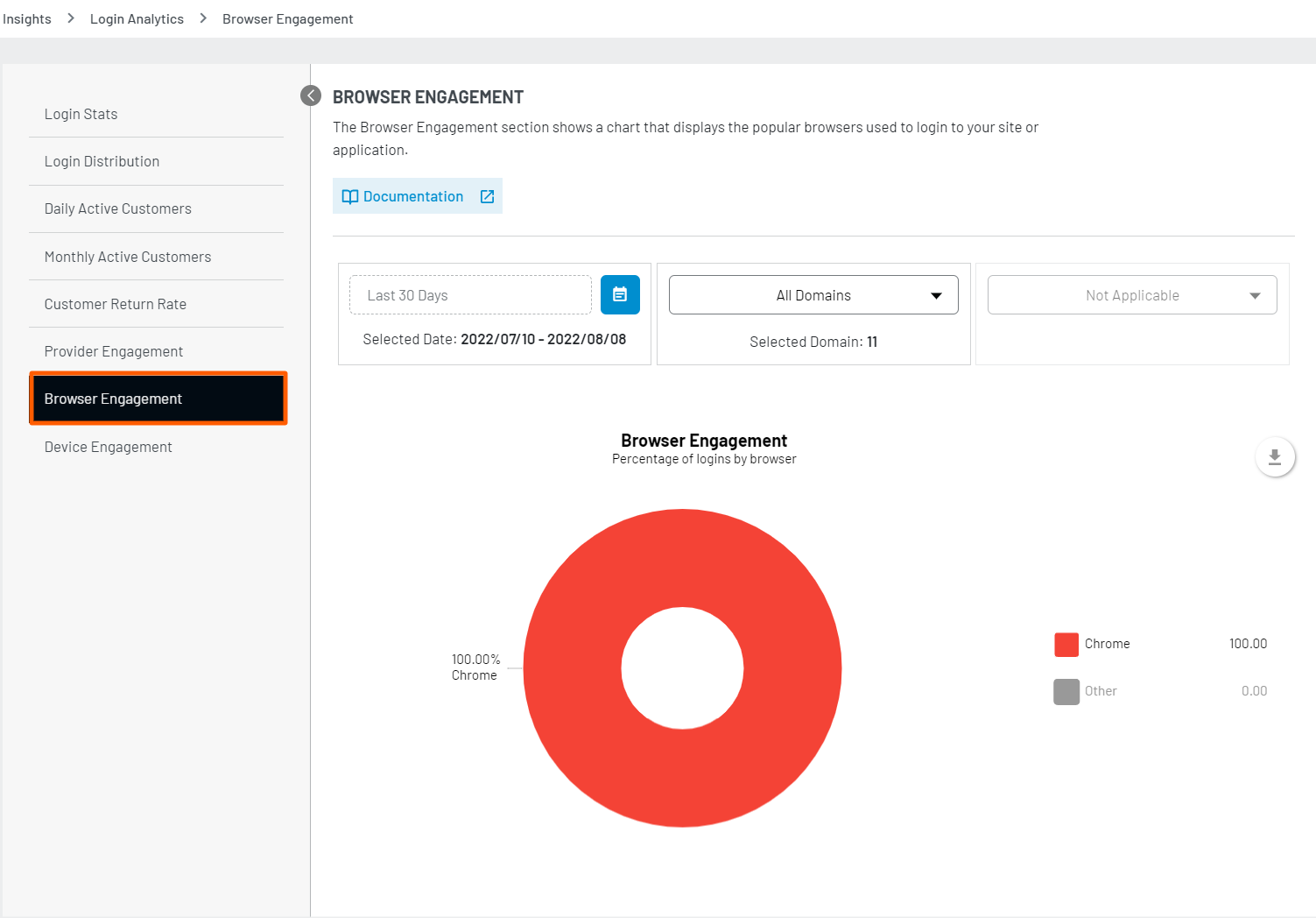
This chart displays the percentage of Unique User Profile Logins based on different browsers such as Chrome, Firefox, Internet Explorer, and more, over the selected time period.
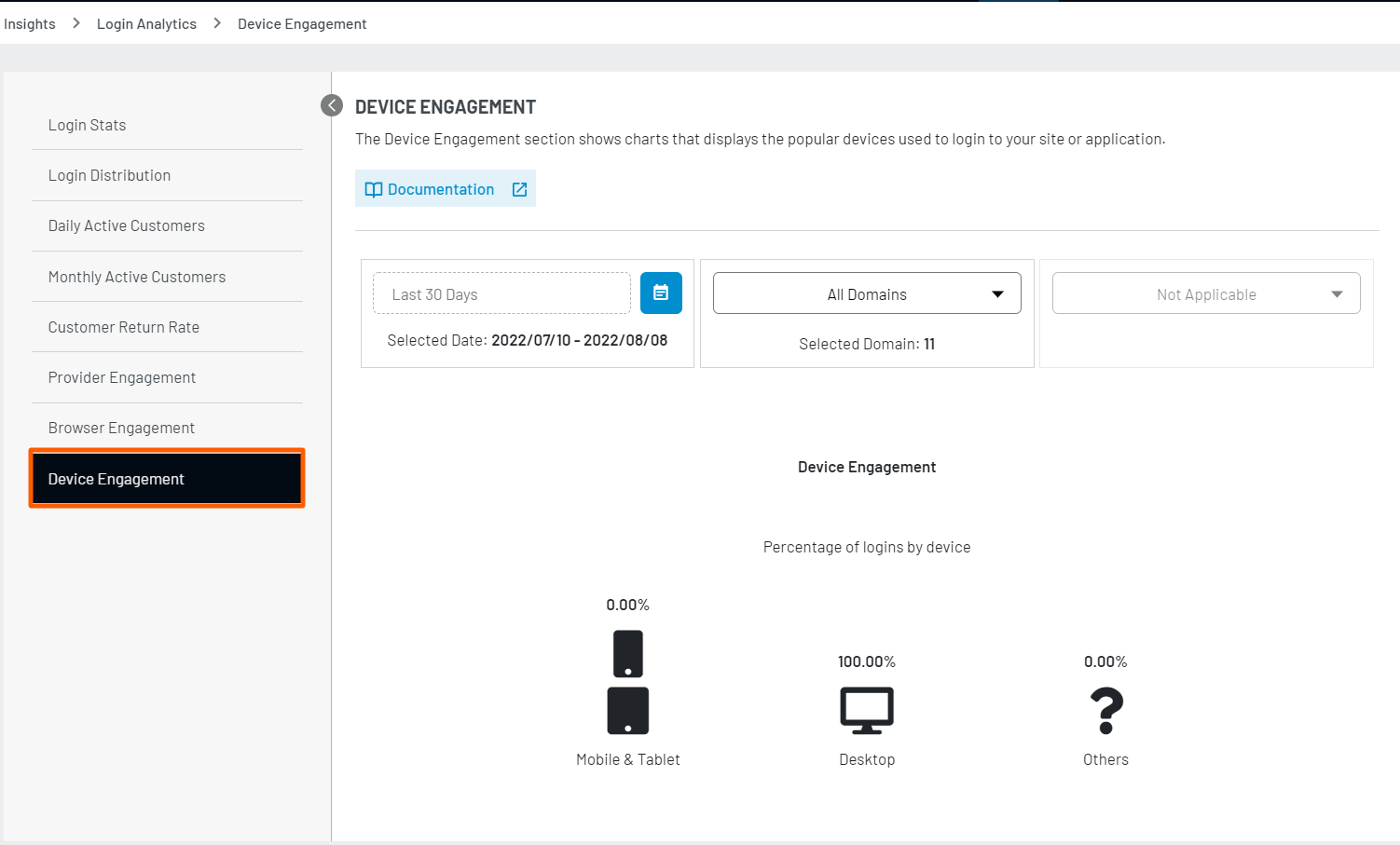
Device Engagement
This section displays the percentage of Unique User Profile Logins based on the different types of devices such as mobile, tablet, desktop over the selected time period.
Steps to download Insights
LoginRadius also provides a feature to download all the data in the form of graphs and charts according to the requirements in multiple formats such as images, CSV, XML, and etc. You can directly get this data in the form of hard copy by using print feature.
When clicking on any of these mentioned file formats, the graphs file will automatically start to download on your local device.
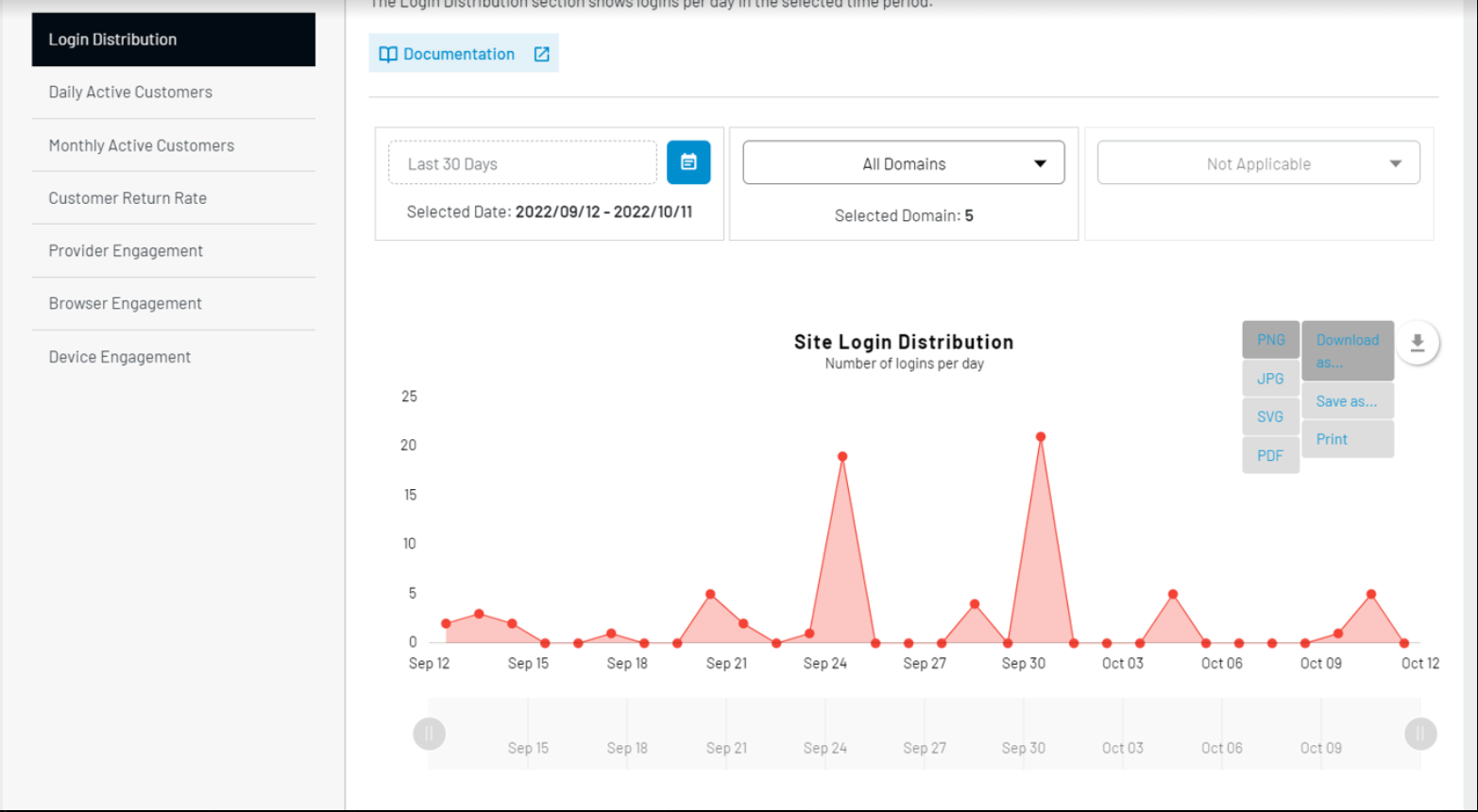
Image Format
On clicking “Download as” you will be presented with multiple option such as:
- .PNG
- .JPG
- .SVG
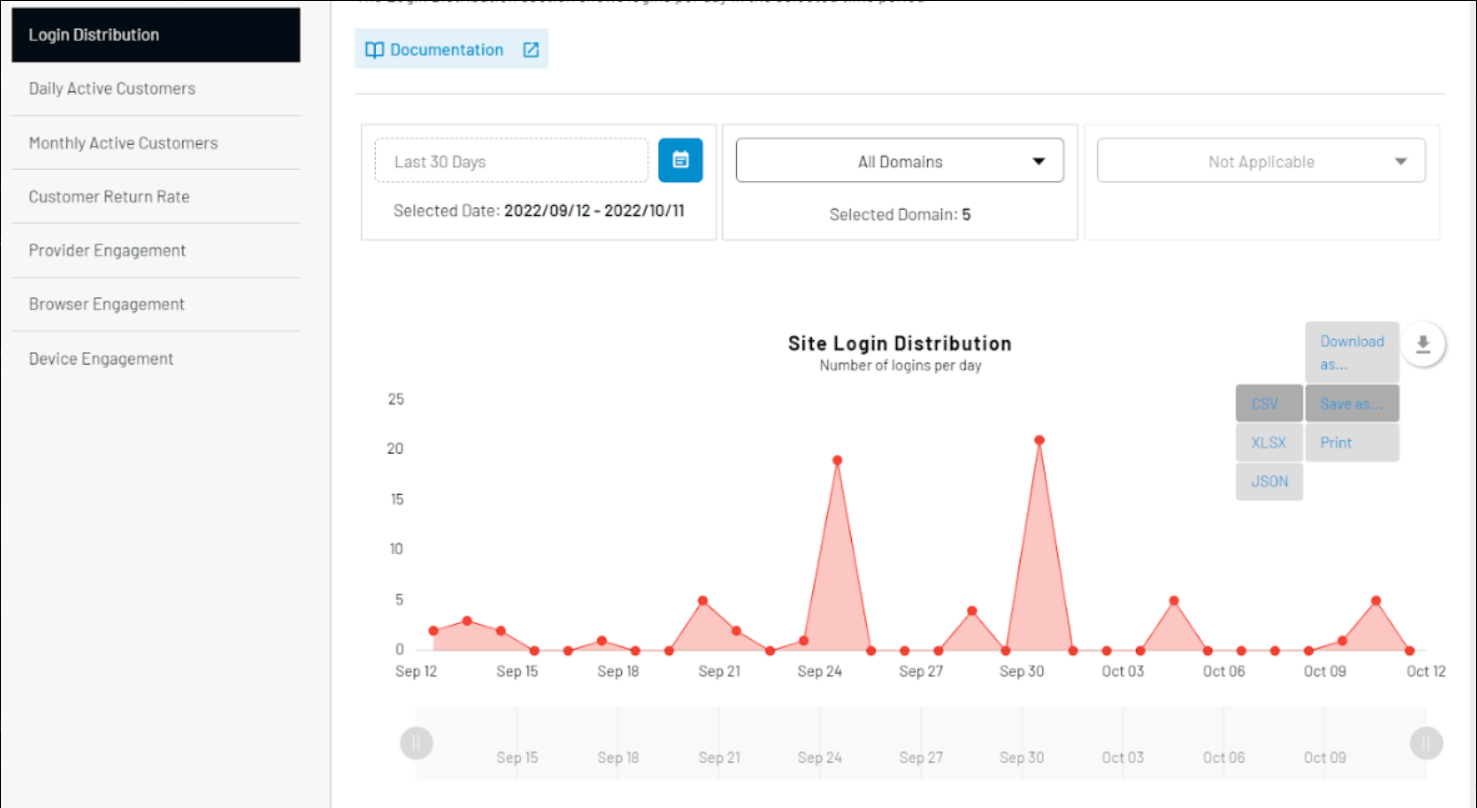
Document Format
On clicking “Save as..”, other options will appear providing benefit of downloading the files in document format as well such as:
- .CSV
- .XLSX
- .JSON
As Print
If you are looking for physical copy of same, you can just click on third option “Print” and you will presented with option to print the same.